How to install Android app
1. Users must open the invitation email in the Gmail application and click the provided link.
2. Users may be asked to type his Gmail passwords.
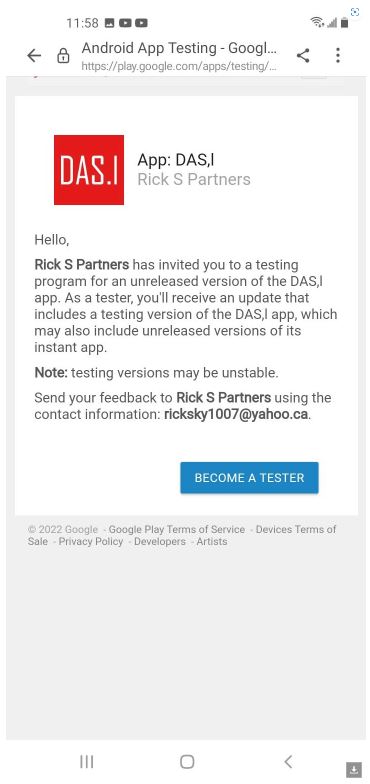
3. Next user will see the "Hello" screen and should click "BECOME A TESTER" button
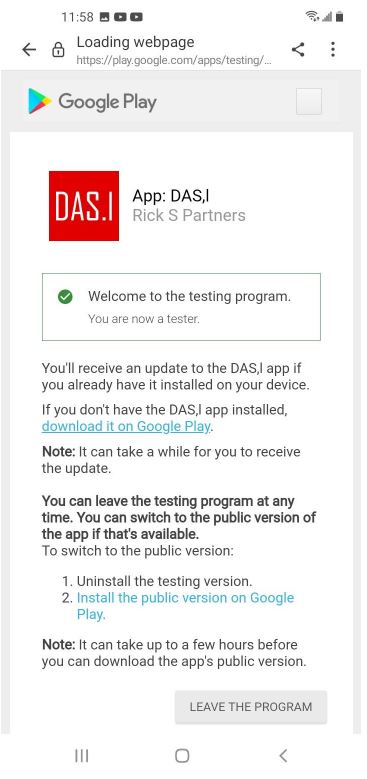
4. At the next Screen, the user should locate "If you do not have the ADAS.n/DAS.n app installed" and click on "download it on Google Play".
5. Click "Skip" Button on "Complete account setup" if asked. There is no need to add Payment Method".
6. Now users will be transferred to Google Play Store and can install the ADAS.n/DAS.n application
Thank you for downloading the ADAS.n/DAS.n application.
ADAS Team